


CT Insider
4.093.00 Reviews
App Specs
- Version
- 202608.28
- Updated On
- License
- Free
- Downloads
- 10,000+
- Developer
- Hearst Newspapers - LLC
- Categories
- News & Magazines
- Platform
- Android
Screenshots


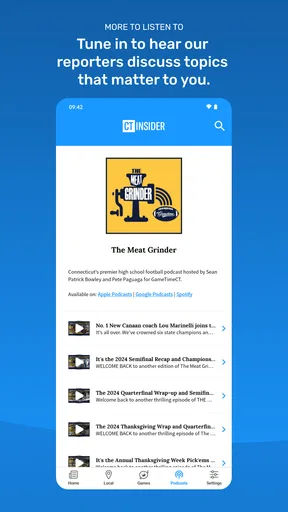
 Analysis by AppCompare
When I want a quick sense of what is happening in Connecticut, I prefer having local reporting, weather, sports, and practical reading in one place instead of jumping between several sites. That is the role CT Insider tries to fill. It is a free news and magazine app from Hearst Newspapers - LLC, aimed squarely at Connecticut readers rather than people looking for a broad national news feed.
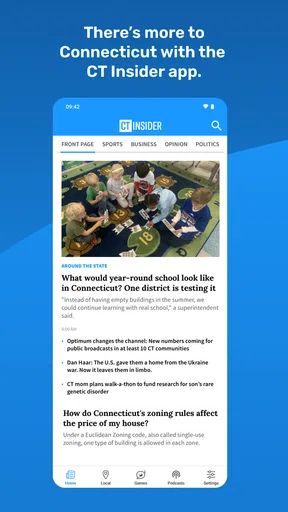
My first impression is that it makes the most sense as a daily local-information tool. The app brings together Connecticut news, business coverage, UConn-related stories, sports, weather, puzzles, and newspaper content. That mix gives it a wider purpose than a single-topic sports app or a basic weather tool, although it also means the experience depends heavily on what kind of reader you are. If you live in the state, work there, attend UConn, follow local teams, or simply want regional context, the focus feels useful. If your main interest is international news, the app is probably too narrow.
It is listed for Everyone and runs on Android versions from 9 onward, which makes it accessible on many still-used phones. The app has been available since September 30, 2020, and its current version is 202608.28. With more than ten thousand installs, it is established enough to have a real user base without feeling like a giant general-purpose platform. Its average score sits at about four out of five from a little over two hundred ratings, with nearly one hundred written reviews, so the public response looks positive but not overwhelming.
From a local question to a useful daily routine
I find a local news app most useful when it helps me turn a passing question into a sensible routine, rather than inviting an endless scroll. This section looks at how I would make that shift with CT Insider: starting with a specific Connecticut need, then deciding which parts of the app deserve a place in the day. That practical rhythm also sets up a closer look at how its sections work together.
Starting with the information I actually need
The strongest way to use CT Insider is to begin with a specific local question. I might open it before leaving home to see whether a Connecticut story affects my commute, check the weather before planning an outdoor afternoon, or look for the latest UConn development before a game. This is different from opening a general news app and hoping its algorithm remembers that Connecticut matters to me.
That local starting point is important because the app’s value is not simply the number of sections it contains. Its value comes from reducing the distance between a reader and regional context. A national report may mention a policy, school, business, or team, but local coverage can explain what that subject means for people in Connecticut. I found the app easier to judge when I treated it as a regional front door rather than as a replacement for every news source I use.
The store summary points to a broad collection: news, sports, UConn, weather, puzzles, newspapers, and business. In practical terms, that makes the app suitable for different moments of the day. News can provide the morning overview, weather can help with immediate planning, business coverage can matter during work hours, and puzzles offer a quieter reason to return later. This range is more useful than a feed built around only breaking headlines.
Worth Reading Before You Choose

EA SPORTS FC Mobile 26 Is a Bigger Football Game, but It Takes Time

Flipboard Shows What News Apps Must Do Beyond the Feed

Switching to Android Auto Means Rethinking Your Driving Routine

Google Calendar Makes a Crowded Week Easier to Manage

Ludo King Makes the Most of the Minutes Between Plans

Baby Panda World Brings Quick Play to Modern Phones, but Its Game Library Feels Busy
Moving through the app instead of chasing links
My preferred workflow is to scan the main news area first, then move to the section that matches the reason I opened the app. I do not treat every headline as equally urgent. For a short visit, I look for the stories that have a direct Connecticut angle. For a longer visit, I move into sports, UConn, or business and read beyond the headline so I can understand the surrounding details.
That approach also helps with one of the app’s quiet strengths: it can support both quick checking and deliberate reading. A weather check may take only a moment, while a newspaper article or business report deserves more attention. Puzzles change the rhythm again, giving the app a use beyond constant updates. I would not install it solely for puzzles, but their presence makes the application feel less like a stream that demands urgency every time it opens.
A realistic everyday example would be a Connecticut resident preparing for a busy Saturday. I might check the weather first, scan local news for road, community, or public-service developments, move to sports for the day’s coverage, and then open a UConn story if that is the main interest. Before the day ends, I could return for a puzzle or a newspaper article. The outcome is not just a list of headlines; it is a compact local briefing that helps me decide what deserves more attention.
Handling the handoff between sections
The handoff from one subject to another is where a local news app either becomes convenient or starts to feel scattered. CT Insider has a natural advantage because its topics belong to the same geographic audience. Moving from a Connecticut business story to weather or from local news to UConn does not feel as random as switching between unrelated apps. The shared regional focus gives the session a consistent thread.
Still, readers should expect different kinds of content to require different levels of attention. Weather is usually a direct utility, while news and business articles need reading time. Sports and UConn coverage may be the main destination for one person and a side trip for another. I recommend deciding what you want from the session before opening every section, because browsing everything can turn a useful local check into an unnecessarily long scroll.
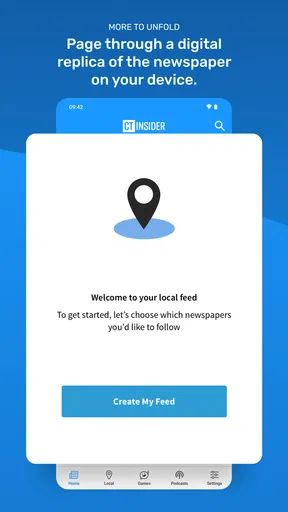
The newspaper area is particularly relevant for readers who enjoy a more traditional reading experience. It can serve as a handoff from quick digital updates to longer-form material. I see that as one of the reasons to choose this app over a social feed: the goal is not only to react to whatever is newest, but also to spend time with organized local coverage. The trade-off is that a newspaper-style reading habit asks more from the user than a glance at notifications.
What happens when access meets paid content
CT Insider is free to download, but it includes in-app purchases ranging from $7.99 to $14.99 per item. That matters before building the app into a daily reading routine. A free installation does not necessarily mean every part of the reading experience is available without payment. I would approach it as a free entry point with the possibility of paid access, rather than assuming the entire catalog is unrestricted.
This is not automatically a weakness. Local journalism costs money to produce, and readers who depend on Connecticut reporting may consider paid access worthwhile. The important practical question is whether you want occasional headlines or sustained access to deeper coverage and newspaper material. If you only need a weather glance and a few local updates, paying may not fit your habits. If the app becomes part of how you follow your community, the purchase options may feel more reasonable.
My advice is to use the free portion long enough to understand your actual pattern before buying anything. Notice whether you return for news, sports, UConn, business, or newspaper reading. That simple test avoids paying for a service when your real need is limited to weather or occasional local headlines. It also helps you compare the app fairly with a newspaper subscription or a general news service.
From reading to a decision
The result of a good CT Insider session is practical rather than dramatic. I may decide to leave earlier because of the weather, follow a local development more closely, make time for a game, or save a longer article for later. The app works best when information leads to an action or a clearer understanding, not when I measure its value by how long I keep scrolling.
For people who live outside Connecticut but have a strong connection to the state, the app can also be useful. A former resident, a family member, a student, or someone doing business locally may want a regional view without sorting through a national feed. The focused coverage can make that connection easier to maintain. However, the usefulness will decline quickly if Connecticut is not part of your everyday interests.
Business readers may appreciate the ability to keep local commercial developments near general news instead of relying only on national financial coverage. UConn followers get a dedicated reason to return, while sports readers can use the app as a regional companion to broader sports services. These are distinct use cases, and the app’s value changes depending on which one is central to you.
Where the workflow breaks down
The first limitation is focus. A reader who wants a complete national or international briefing will need another app. CT Insider is not designed to replace a broad news reader, a specialist financial service, or a dedicated sports scores platform. Its regional concentration is its identity, but that same concentration makes it a poor fit for people whose interests are mostly outside Connecticut.
The second friction point is the boundary between free discovery and paid reading. Seeing a topic that interests me and then encountering a purchase decision can interrupt the flow from headline to understanding. That does not make the app unusable, but it means I would not recommend it blindly to someone who expects a completely free newspaper experience. The in-app purchase range should be part of the decision from the start.
There is also a difference between an app that informs me and one that gives me every tool for immediate action. For weather, a dedicated weather app may offer a more specialized experience. For live scores, a sports-first app may be faster. For national breaking news, a large general news service will usually provide more breadth. CT Insider is better when the desired outcome is a connected view of Connecticut, not maximum depth in one isolated category.
Another consideration is reading style. People who prefer short alerts may find newspaper content more involved than they want. Conversely, readers who enjoy detailed local reporting may find a quick headline feed insufficient unless they explore the longer articles. I would give the app a few different sessions—morning news, a sports check, and a slower newspaper visit—before deciding whether its balance suits me.
Who should make it part of the day
I would recommend CT Insider to Connecticut residents who want one regional destination for news, weather, sports, UConn, business, and occasional puzzles. It is especially appealing when local context matters more than a huge quantity of national headlines. The app also makes sense for readers who want to support or regularly consume local newspaper-style coverage and are comfortable considering paid access when the free experience is not enough.
I would be more cautious with someone who wants only a weather forecast, only sports scores, or only national headlines. In each of those cases, a specialized alternative may be quicker and more focused. I would also suggest thinking about reading frequency: occasional visitors may get enough from the free side, while daily readers should consider how the purchase options fit their budget and expectations.
After using it as a complete local-information workflow, my view is favorable but specific. CT Insider is most successful as a Connecticut companion, not as an all-purpose news replacement. It starts with a local question, moves through related sections, hands me from quick updates to deeper reading, and can finish with a clearer plan for the day. The experience becomes less convincing when I need broad coverage, specialized tools, or uninterrupted access to everything without considering payment.
For the right reader, that distinction is easy to accept. I would keep it installed if Connecticut news and community context were part of my routine, especially because the combination of UConn, sports, weather, business, puzzles, and newspaper content gives me several reasons to return. Hearst Newspapers - LLC has positioned it around a clear regional need, and the four-out-of-five average from its current audience suggests that the approach works for many users. I would simply enter with realistic expectations: start free, identify the sections I genuinely use, and decide afterward whether the deeper reading justifies an in-app purchase.
Pros
- Covers Connecticut news
- politics
- business
- sports
- and local communities.
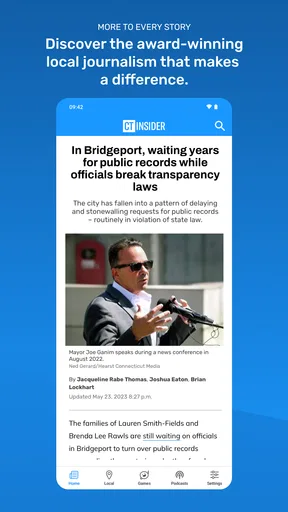
- Articles are generally focused on regional issues and nearby events.
- Clean layout makes headlines and stories easy to browse.
- Useful for staying updated on Connecticut developments in one place.
- Supports quick reading with concise headlines and article summaries.
Cons
- Some content may require a subscription or account to access fully.
- News selection is limited if you mainly follow events outside Connecticut.
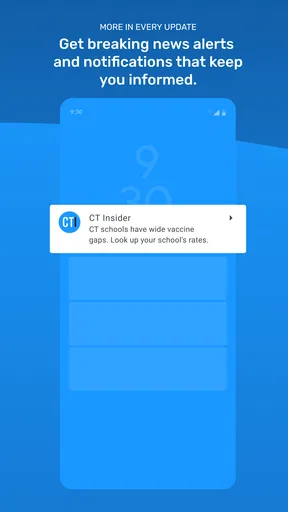
- Breaking-news notifications may feel frequent for some readers.
- Article availability and update speed can vary by topic.
- The app may offer fewer features than larger national news platforms.
FAQs for CT Insider
What is CT Insider, and what kind of content does it provide?
CT Insider is a Connecticut-focused digital news and information platform covering local politics, breaking news, business, education, health, sports, entertainment, food, and community events. After exploring the app and its content, I found that its main strength is regional reporting, helping readers follow stories that are especially relevant to Connecticut residents rather than relying only on broad national headlines.
Is CT Insider free to download and use?
The CT Insider app can generally be downloaded without an upfront charge, allowing users to browse available articles and explore the interface. However, access to all stories may depend on the publication’s subscription or membership rules. Some content can be limited by a paywall, so users should review the current plan details, trial terms, and renewal conditions before subscribing.
Does CT Insider require a subscription to read articles?
Not every article is necessarily restricted, but CT Insider may limit access to premium journalism after a certain number of free views or require a subscription for continued reading. The exact rules can change over time. If you regularly follow Connecticut news, a subscription may be worthwhile, but occasional readers should check which stories remain freely available.
What features can users expect from the CT Insider app?
CT Insider is designed for straightforward news reading, with sections organized around local topics and current events. Depending on the version and device, users may receive breaking-news updates, save or share stories, browse featured coverage, and manage subscription access. The experience is most useful for readers who want Connecticut news gathered in one convenient mobile application.
Is CT Insider available for both Android and iPhone?
CT Insider availability can depend on the current app-store listing and the user’s region, so it is best to search for the official application in Google Play or Apple’s App Store before downloading. Check the publisher name, ratings, update date, and permissions to avoid unofficial copies. Users can also access CT Insider through a mobile web browser if supported.


